

Webchat configuration
Webchat configuration
Configure, preview, and test non-voice Webchat deployments directly in Studio.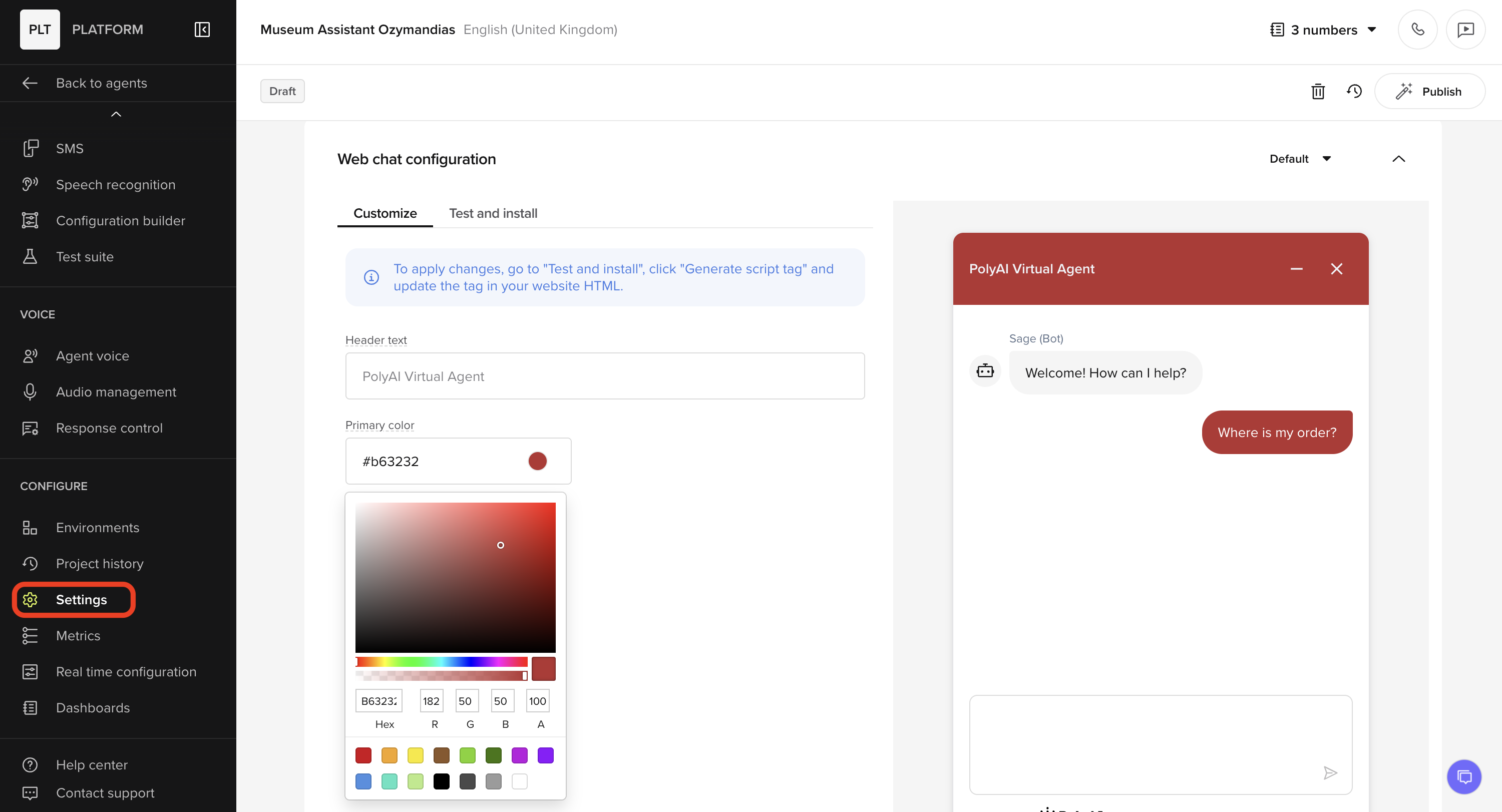
- There is a new Webchat configuration section in the Agent Studio Settings tab.
- You can customize the appearance of the chat widget quickly using the live preview.
-
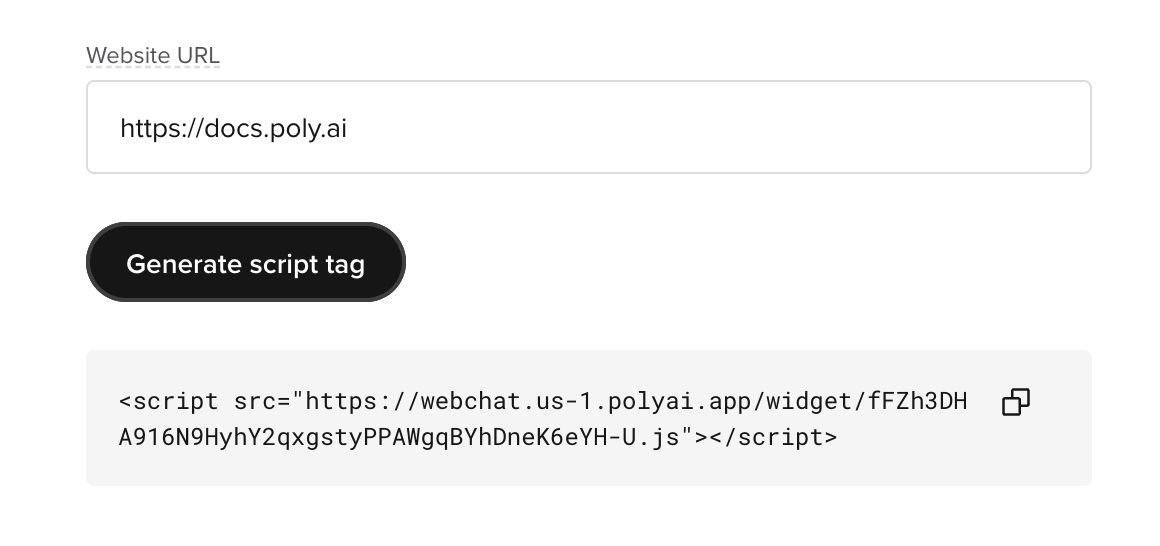
You can test the widget quickly in-browser with Preview Demo or in any site using the embed script tag:
Test cases
Test cases
The Test Suite now supports individual Test Cases.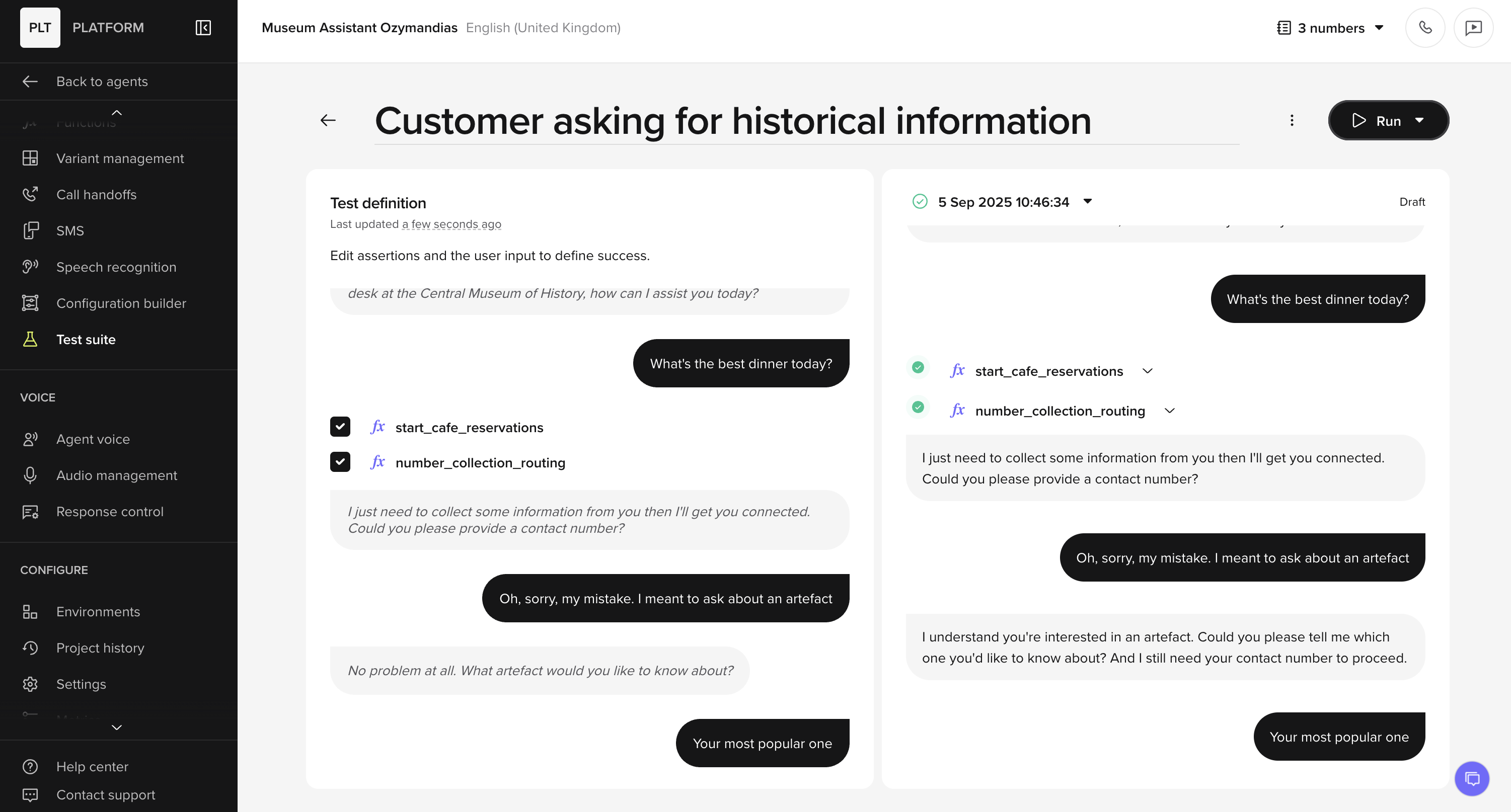
- You can use a conversation to create a Test Case against a single scenario.
- These are run directly from the Test Cases tab, after selecting the agent version (Draft/Sandbox) to test against.
- Outcomes and last-run timestamps are tracked automatically.
- Organize cases into Test Sets to rerun whole groups at once and view aggregated results with charts.
- Cases can belong to multiple sets, so you can target them by feature or however else is required.
Home page updates
Home page updates
The Agent Studio home page now surfaces more trend data and a clearer quality summary.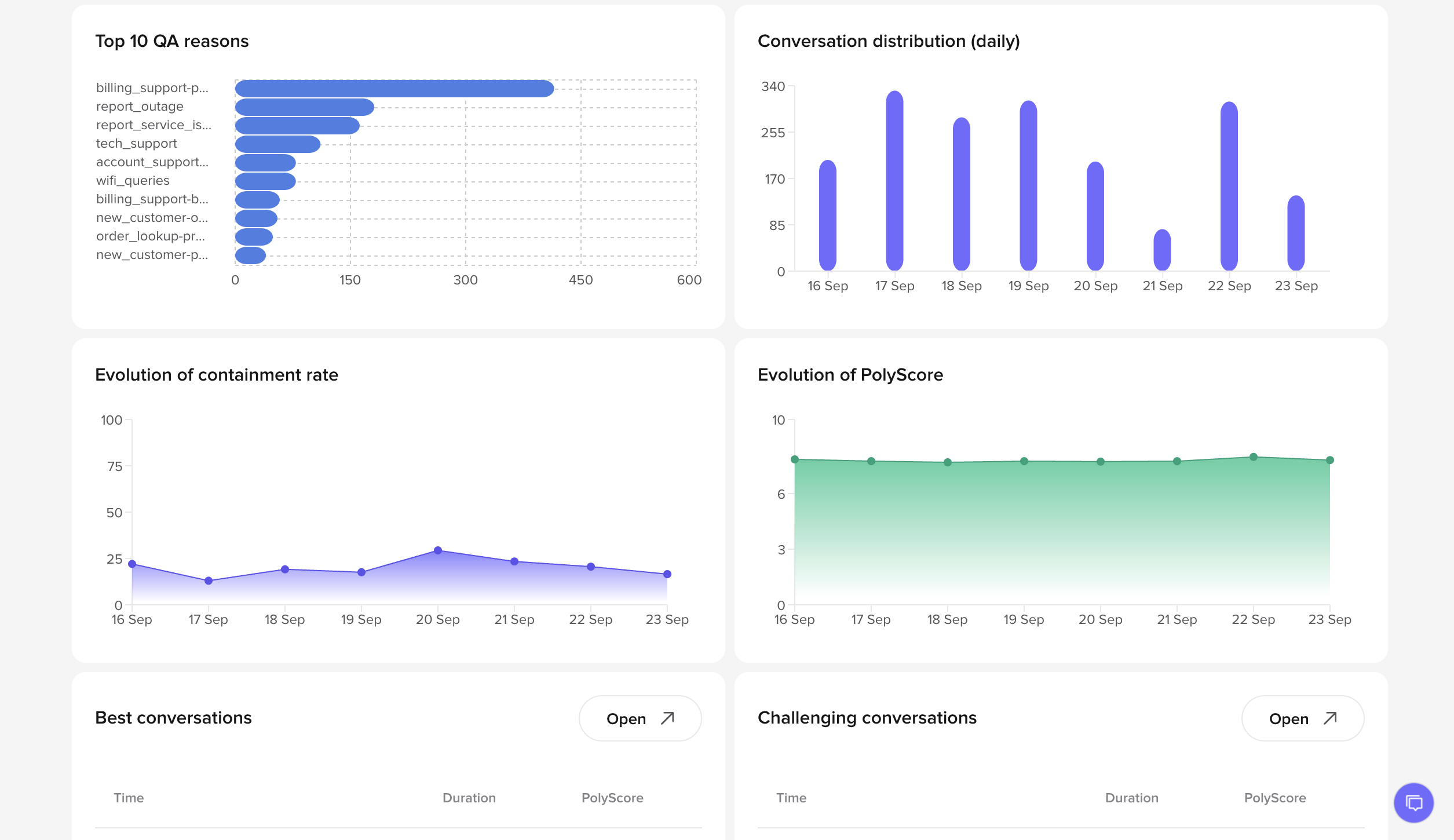
- Average PolyScore added to Quick Insights
- New charts for Containment rate and PolyScore over time
- Consistent “PolyScore” naming across tables, filters, and details
Smart Analyst: reasoning logic and chat history
Smart Analyst: reasoning logic and chat history
Smart Analyst now supports structured responses using reasoning logic. A persistent chat history has also been added.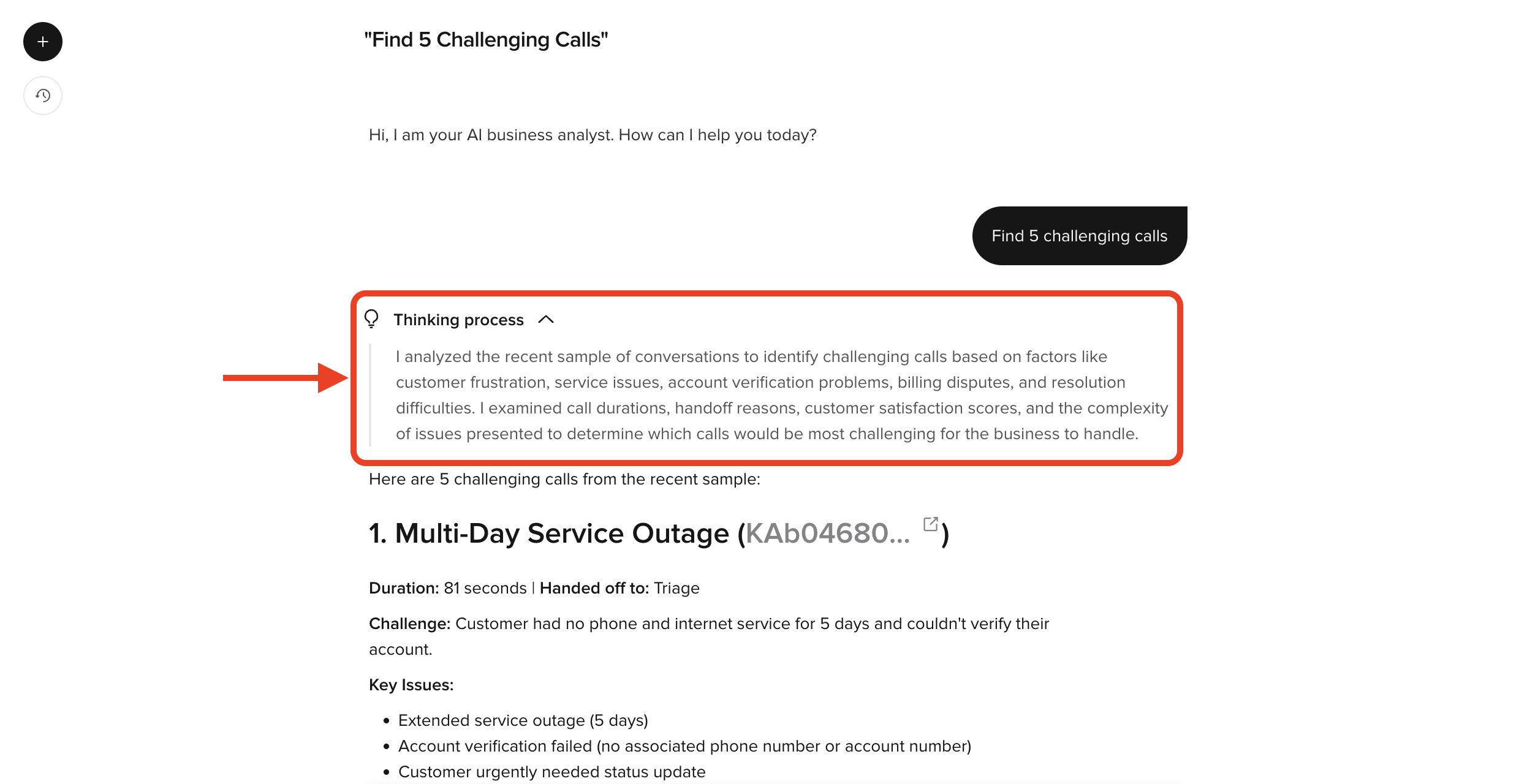
-
Structured responses: answers now include reasoning logic along with the final answer, as well as more clearly labelled sources and steps.
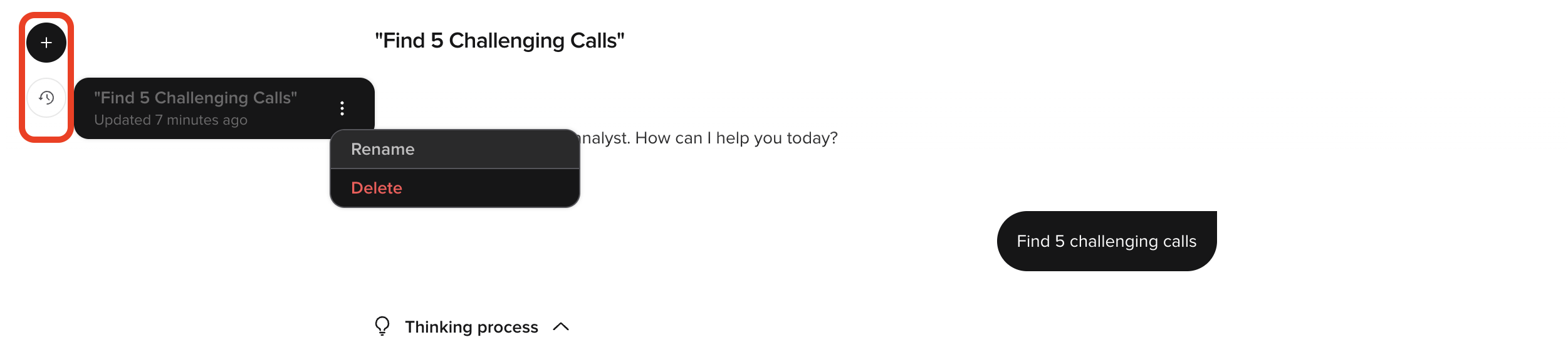
- Chat history: resume previous analyses; conversations stored with redacted transcript data
- Auto titles with the ability to rename and delete old analyses from the history list.
Numbers tab
Numbers tab
You can now buy and assign phone numbers from the new Numbers tab in the Agent Studio UI, and you can optionally link these to individual multi-site variants.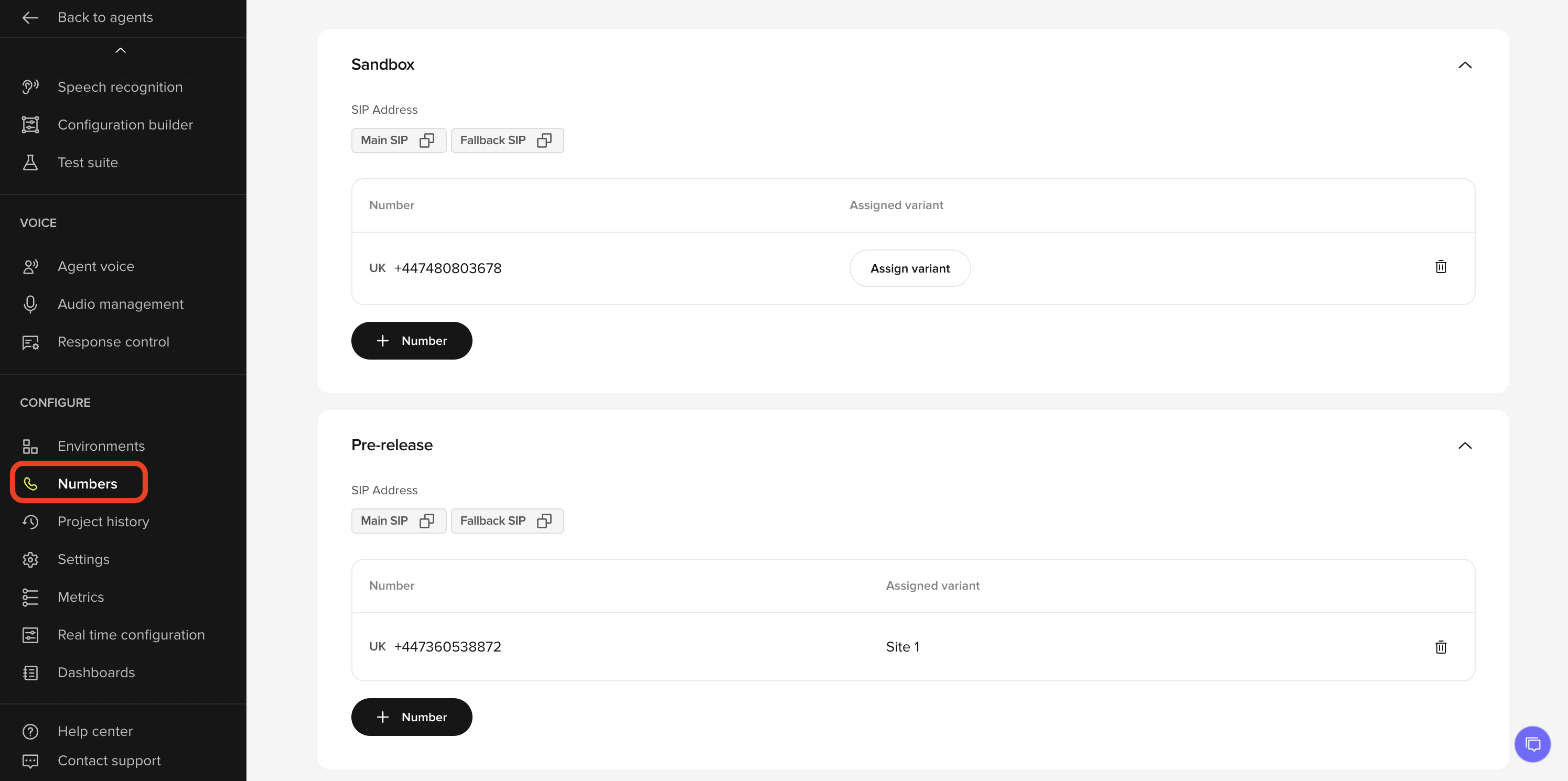
- New Numbers page under Configure shows all numbers by environment
- Add, view, and delete numbers in Sandbox and Pre-release.
- Assign numbers to variants for multi-site projects.
Function logging (conv.log)
Function logging (conv.log)
Functions can now write structured logs Conversation Review and the Conversations API using  What’s new:
conv.log.What’s new:- Use
conv.log.info,conv.log.warning, andconv.log.errorinside functions - Entries appear in Conversation Review → Diagnosis and using the Conversations API.
- Mark entries as PII so they are only visible to users with permission.
Conversations API: tool calls
Conversations API: tool calls
Third-party QA tools and internal test rigs can now read tool/function call events from the Conversations API.What’s new:
- Every function call made during a conversation is now surfaced in the API response
- Makes it possible to verify not just the dialogue, but also the actions taken behind the scenes
- Access is scoped per environment (Sandbox, Pre-release, Live) so external tools don’t touch production data