

Smart Analyst enhancements
Smart Analyst enhancements
Smart Analyst has been upgraded with enhanced logic, query capabilities, and visualization tools—making it even easier to surface insights from call data.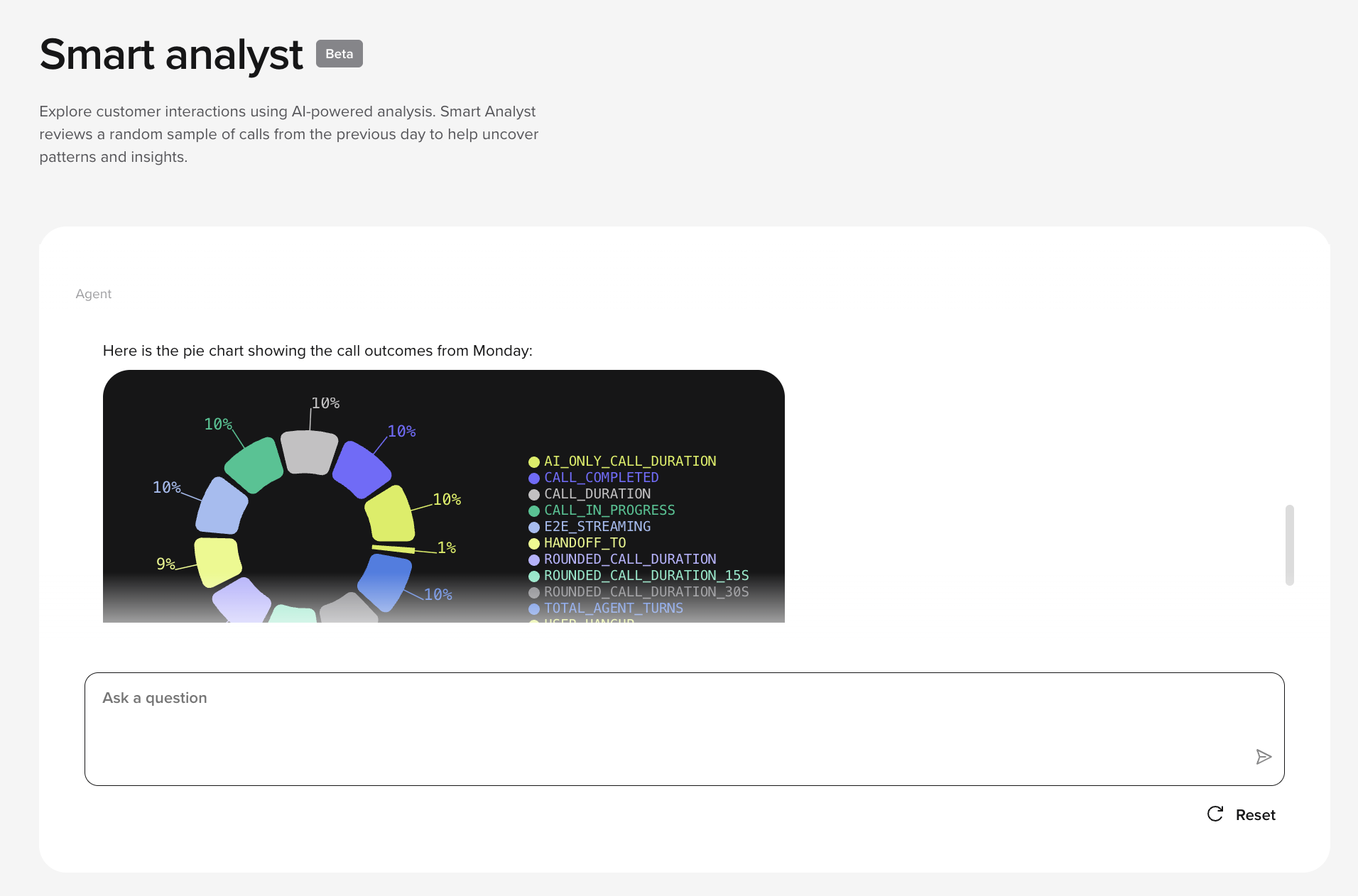
-
Keyword-driven transcript filtering
Search transcripts with Datadog keyword queries to focus analysis on specific terms, topics, or call types.
“Show me all calls where the customer said ‘cancel my subscription’.”
-
Aggregated data querying
“How many calls resulted in an escalation yesterday, broken down by length of call?”
Smart Analyst can run SQL queries against an aggregated data table and identify trends and performance patterns. -
Integrated data visualization
“Create a bar chart showing the number of failed intents over the last 7 days.”
Visual responses now include auto-generated charts mapped from query results—no need to leave the interface.
New homepage
New homepage
Agent Studio now opens to a redesigned homepage dashboard with a clearer overview of platform usage and agent performance.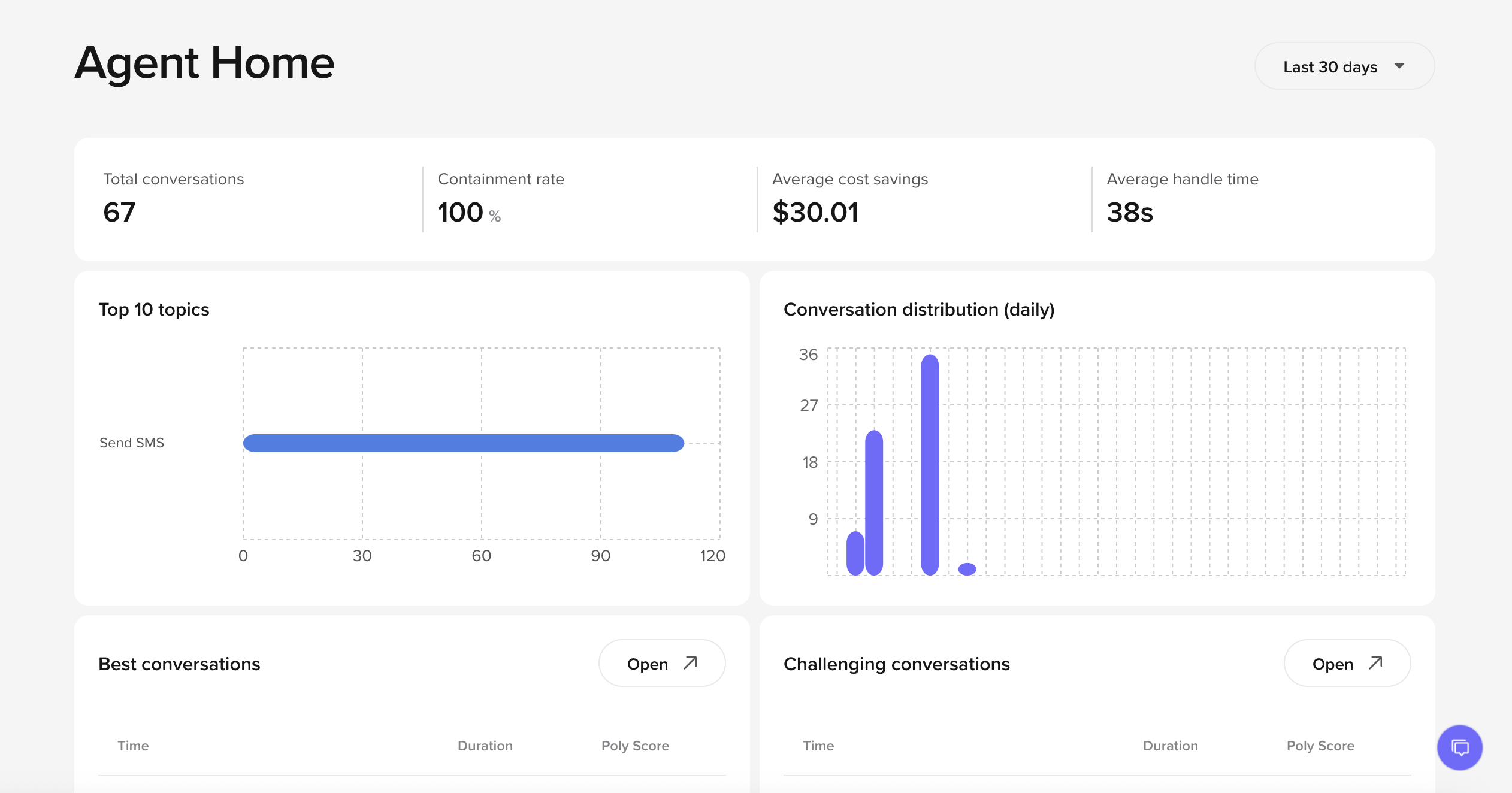
- At-a-Glance Metrics: Call volume, Containment Rate, AHT, and estimated Agent Cost Savings
- Metrics like Top 10 QA Reasons or Top 10 GenAI Topics: Horizontal bar charts with drill-down access.
- Recent Conversations: Visual cards for “Best Calls” and “Problem Calls” over the past 24 hours.
- Assistant Analysis Batch: Interactive pie chart with prompt tooltips.
Rich text refactor
Rich text refactor
Input text fields have been rebuilt to support rich text, so adding a reference to a flow, function, SMS, or other platform element is as easy as typing / and then searching for it by name.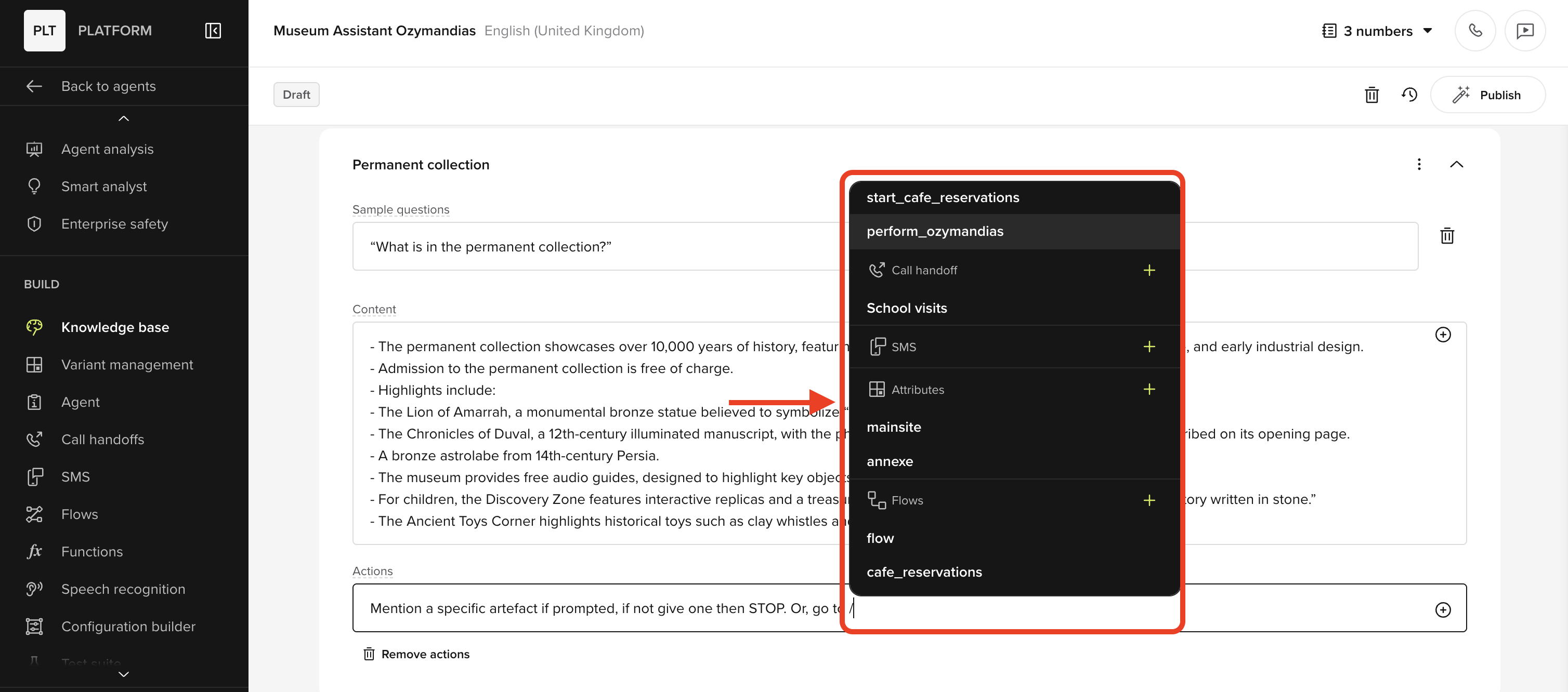
- You can now search by top-level menu item names, like “SMS” or “Handoff”
- The Escape key now closes popups.
- Open the insert menu by typing
/or clicking the plus icon. - Maintains support for
{{mention}}formatting. So, for example{{fn:SELL-abc123de}}will show up as the function namedSELL-abc123de.
Add Amazon Polly voices
Add Amazon Polly voices
You can now add your own Amazon Polly voices to your Agent Studio project.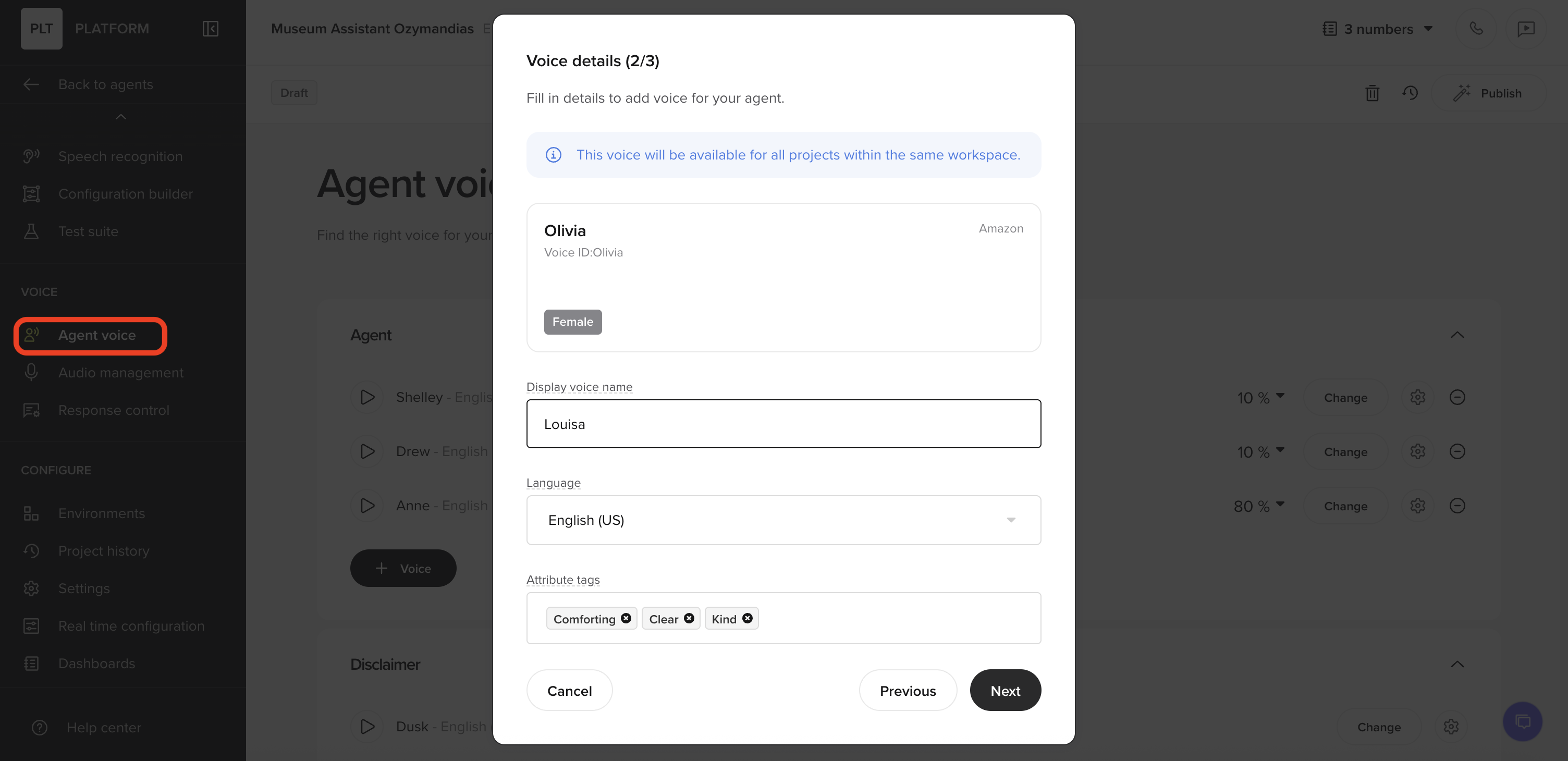
- New “Add New Voice” flow for Amazon Polly TTS.
- Fill in attributes for the voice like language (and accent).
- Lets you assign attribute tags to help organize and apply voices consistently.
This is part of a broader move toward multi-provider TTS support. Voices from PlayHT and other vendors will follow soon.
Adjust voice speed
Adjust voice speed
You can now fine-tune the speaking rate of synthetic voices in Agent Studio to match your preferences or use case.What’s new:
- New voice speed slider available in voice settings
- Ranges from 0.5× to 1.5×, starting at the default 1.0×
- Fine-grained increments (down to 0.01×) allow for precise control
-
Marked 1.0× reference point for easy orientation
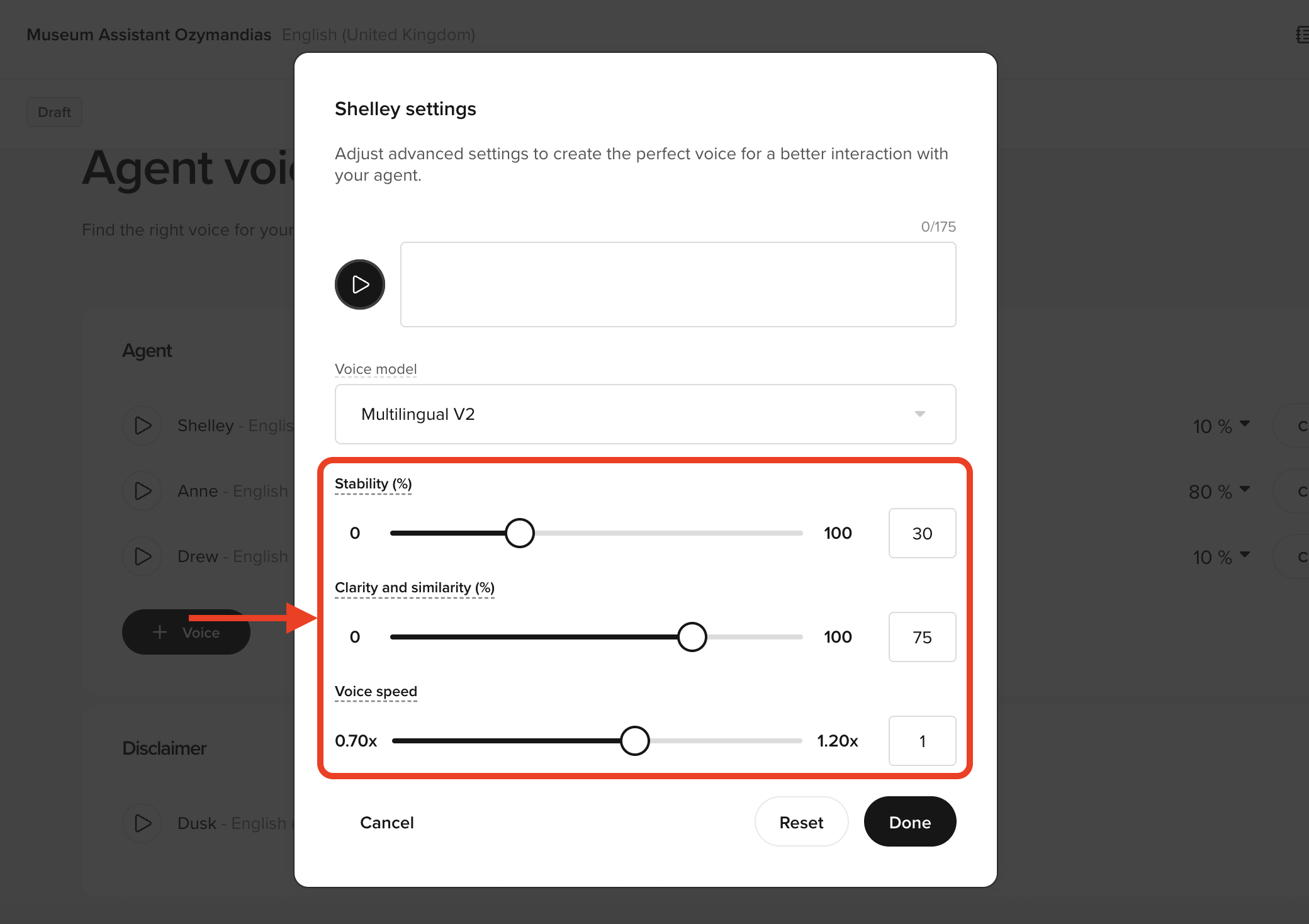
- Speed up a slow voice without changing TTS provider
- Slow down speech slightly for accessibility or clarity
- Match pace across multiple voices for consistency
Feature available across all voice integrations, including Amazon Polly.
Claude integration for Agent Studio functions
Claude integration for Agent Studio functions
Agent Studio functions can now call Claude for generative reasoning and summarisation.What’s new:
- Add Claude as a model option in function settings
- Supports prompt templating and async response handling
- Useful for summarising user inputs, drafting replies, or generating structured outputs
This feature is designed for enterprise users looking to augment existing flows with LLM-powered reasoning.
Channel filter and call metadata improvements
Channel filter and call metadata improvements
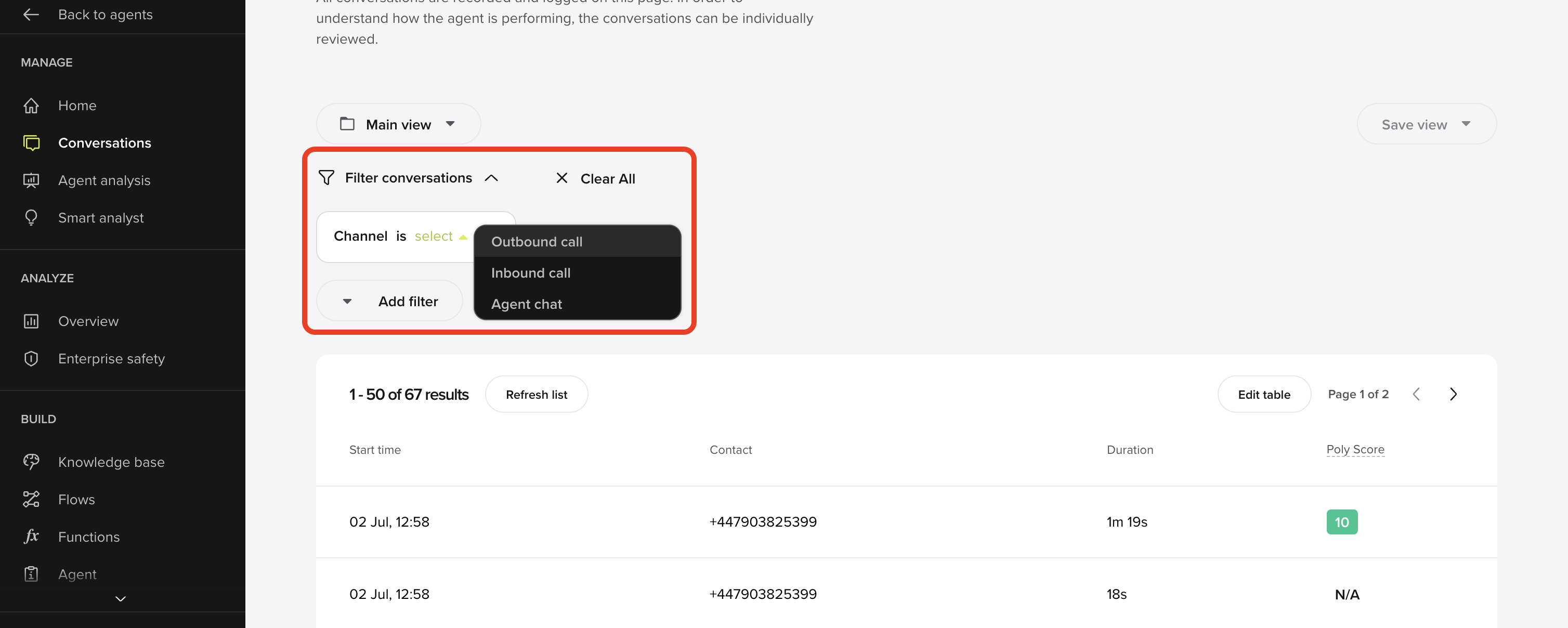
If applicable, inbound, and web chat calls are now clearly distinguished across Agent Studio.What’s new:
- New channel label: Calls are now tagged as either Inbound, Outbound, Agent chat (web chat).
- Conversation Review table shows which number the call was placed to (callee) rather than the outbound number used.
- Column renamed to a neutral label like “Phone Number”
-
Filtering improvements let you easily find all calls to the same callee, especially useful for outbound flows
Outbound call delivery tracking
Outbound call delivery tracking
Outbound calls and their statuses are now visible in Agent Studio:
- Delivery status added to Conversation Review filters and custom columns
- Call outcomes now grouped into intuitive labels:
Success→ Call connectedUnavailable→ Temporarily unreachableBusy→ Line engagedInvalid Number→ Not foundDeclined→ Explicitly rejectedError→ All other outcomes