

View knowledge base differences between versions
View knowledge base differences between versions
You can now use the Environments & versions tab to compare two knowledge base versions
side-by-side and track modifications across the sandbox, pre-release, and live environments.Versions are displayed as split diffs.
- Additions mean a new knowledge base entry.
- Deletions means a knowledge base entry has been deleted.
-
Edits is the symbol applied to any existing but altered knowledge base entry.
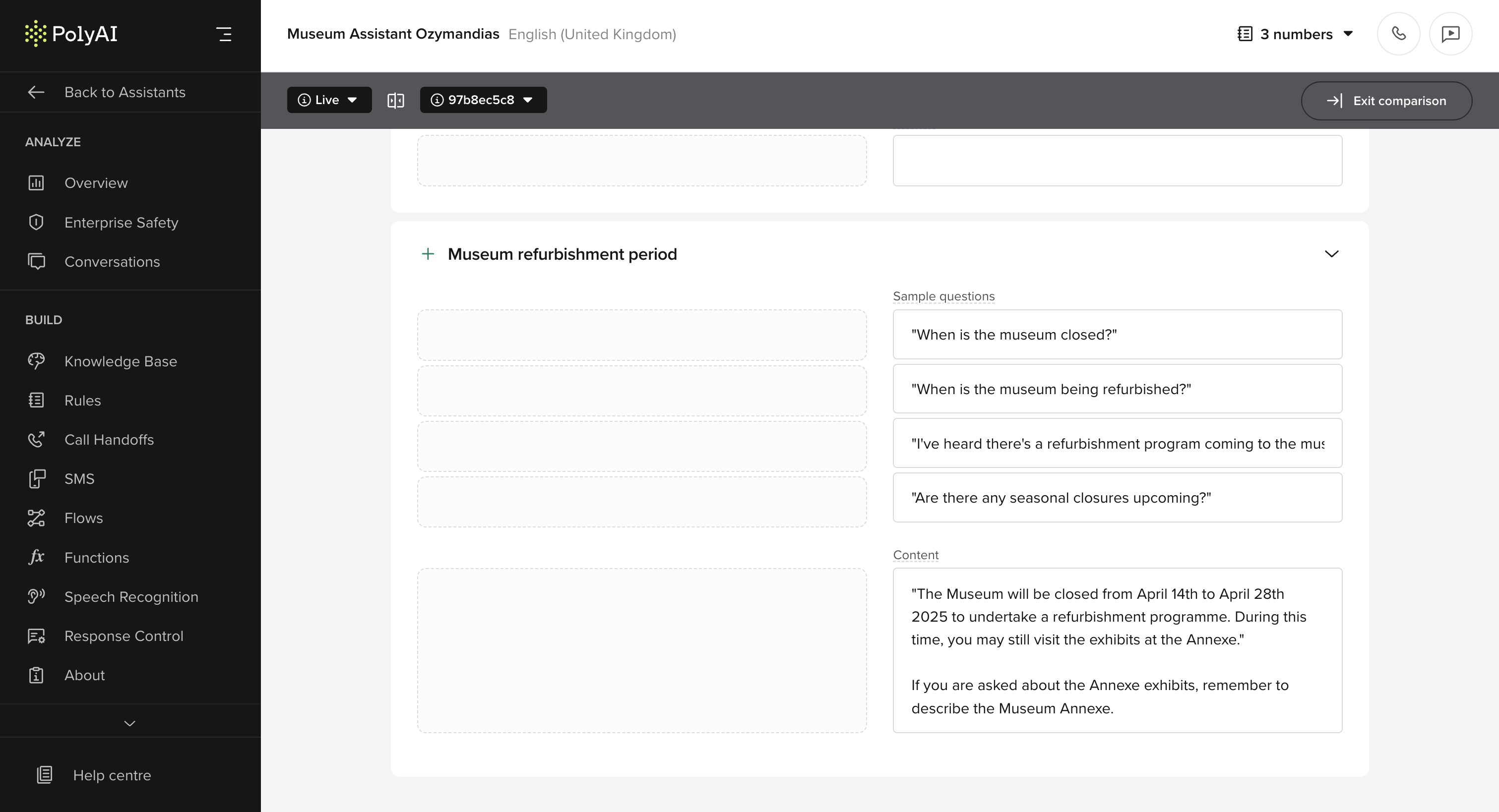
- Quickly identify additions, deletions, and changes between knowledge base versions.
- Easily attribute changes to their authors.
Manage function latency
Manage function latency
Improve the experience for users when a function takes longer than expected by playing filler utterances during the delay.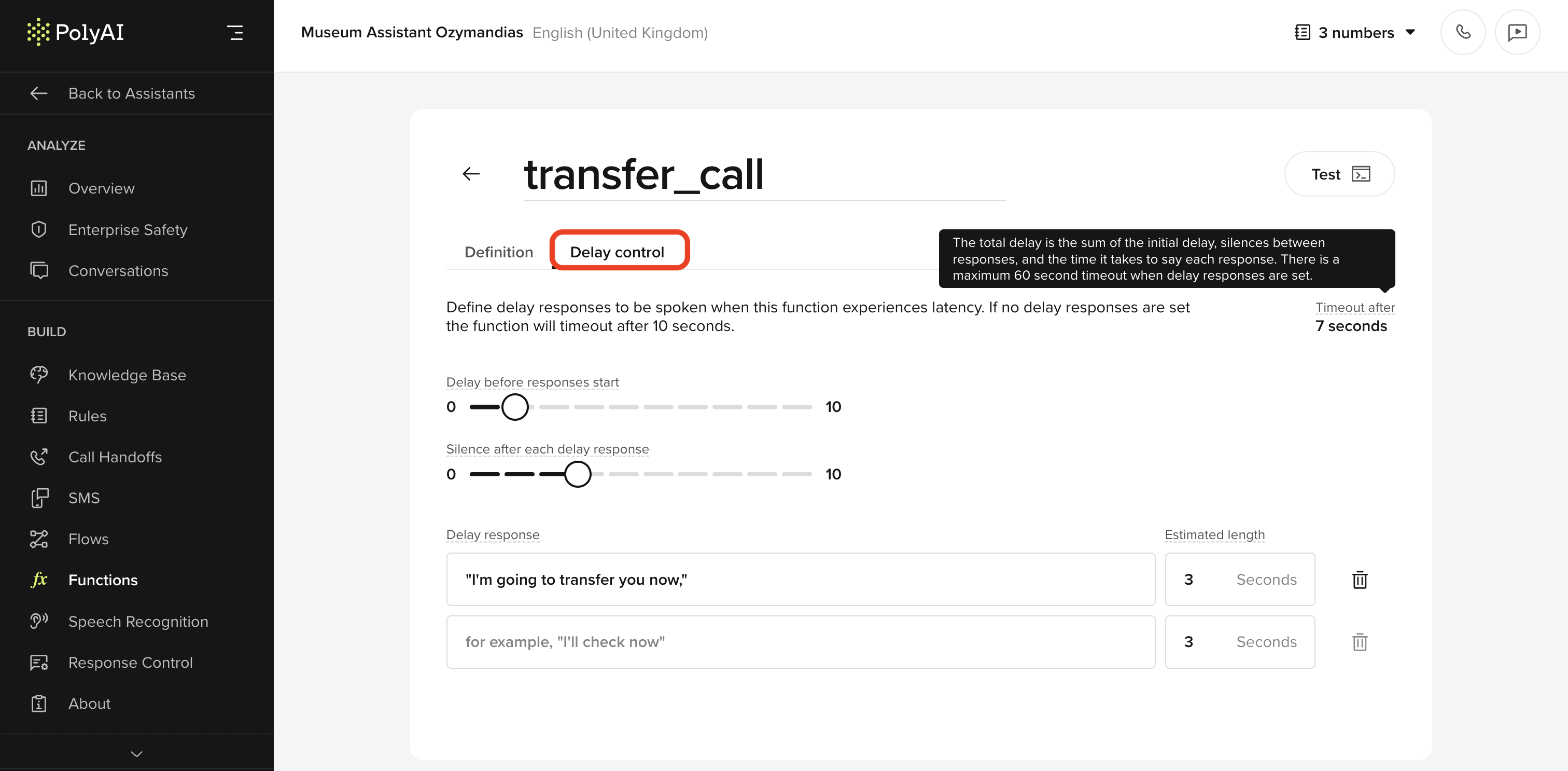
- Set up delay responses that play while a function is still processing.
- Define the initial delay before the first filler utterance is played.
- Configure the interval between utterances to control pacing.
- Specify the expected length of each utterance for smoother timing.
Upload audio to replace cached items
Upload audio to replace cached items
Upload pre-recorded audio directly from the audio management resource in Agent Studio.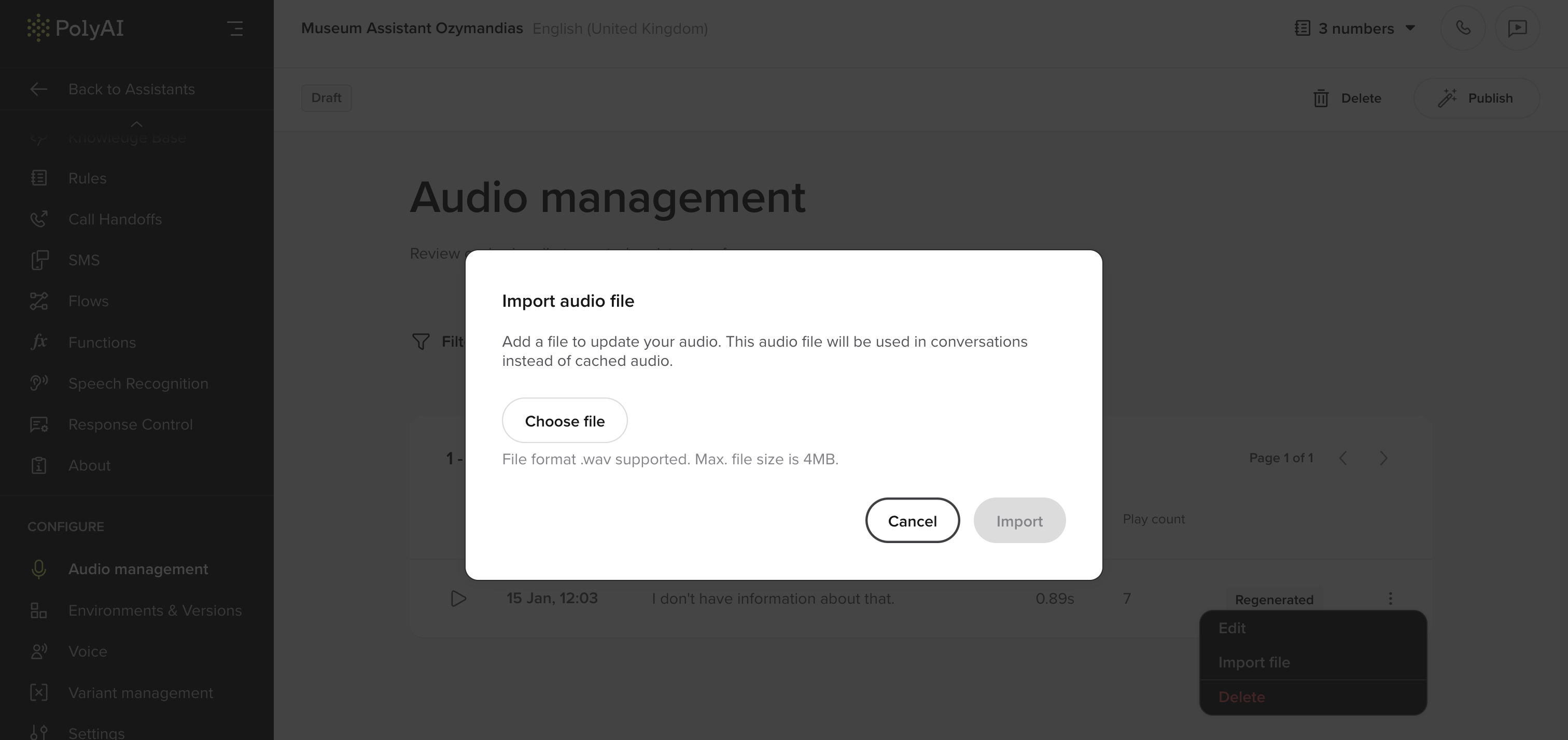
- Easily replace TTS with high-quality voice actor recordings.
- Improve voice consistency across different agent responses.
- Initial release supports single file uploads, with bulk upload functionality coming soon.
Reference variants in the knowledge base
Reference variants in the knowledge base
Reference variant attributes dynamically within knowledge base responses.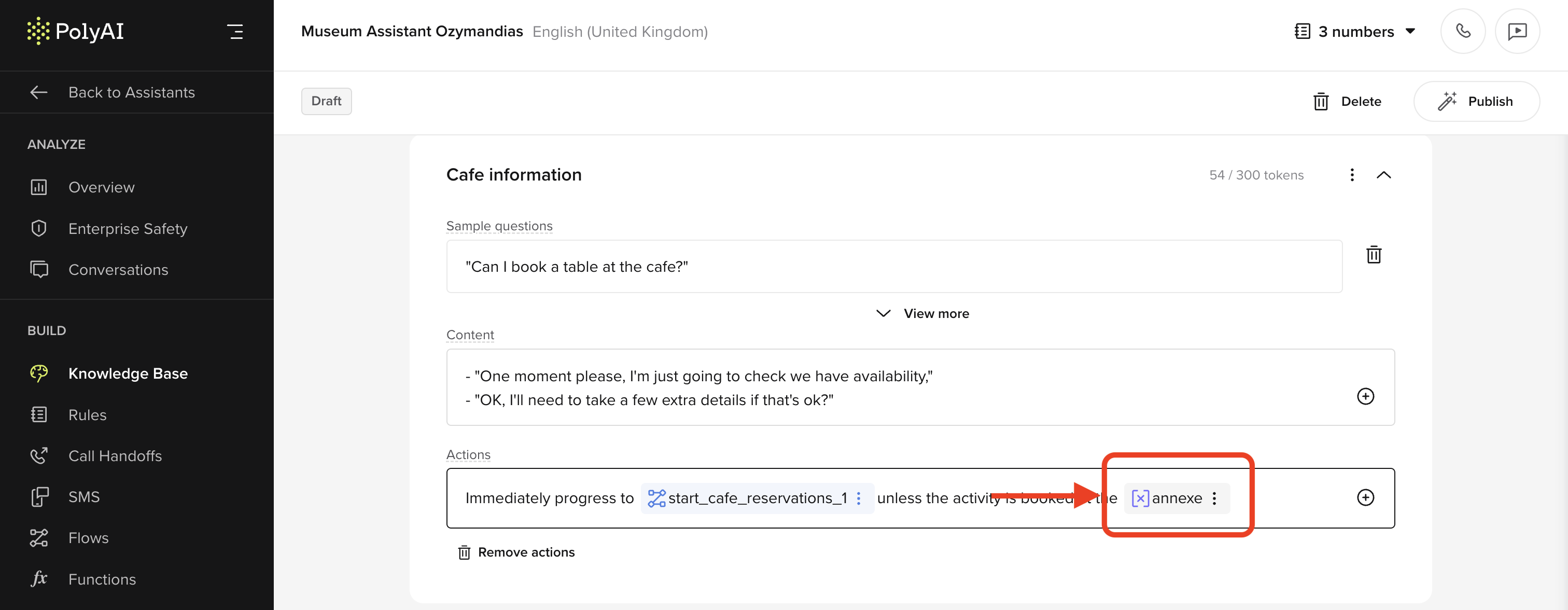
- Add variant attributes by typing
/or selecting the+icon in content fields. - Reference existing attributes or create new ones dynamically.
- Personalize responses by encoding structured variant data.
Managing transition functions in a flow
Managing transition functions in a flow
Transition functions are now managed centrally within the flow editor.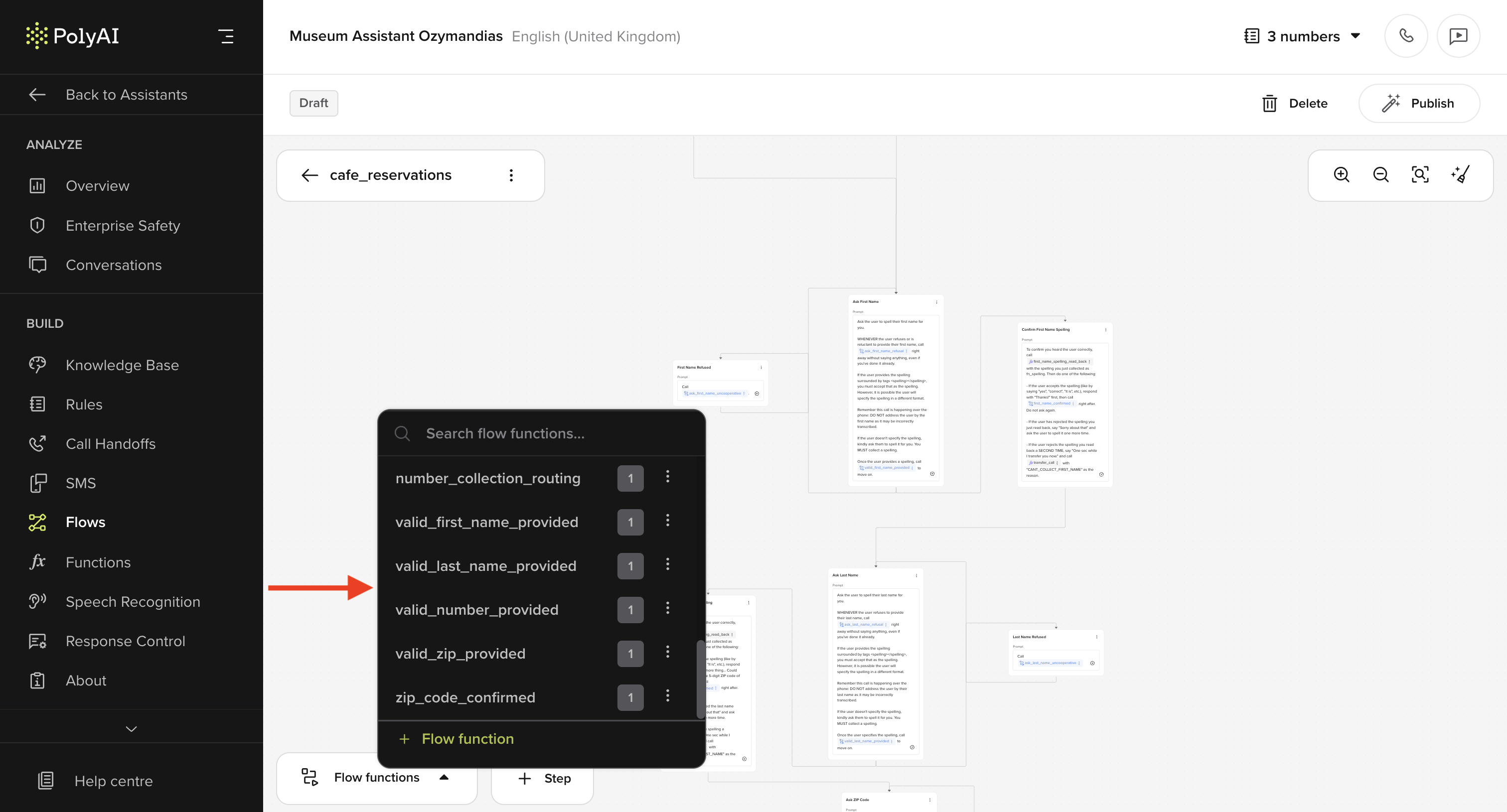
- Prevents accidental deletions when modifying flows.
- Enables reusing, duplicating, and managing transition functions from a single interface.
- Streamlines agent configuration and debugging.
Conversation review annotations
Conversation review annotations
Users can now annotate user conversation turns for: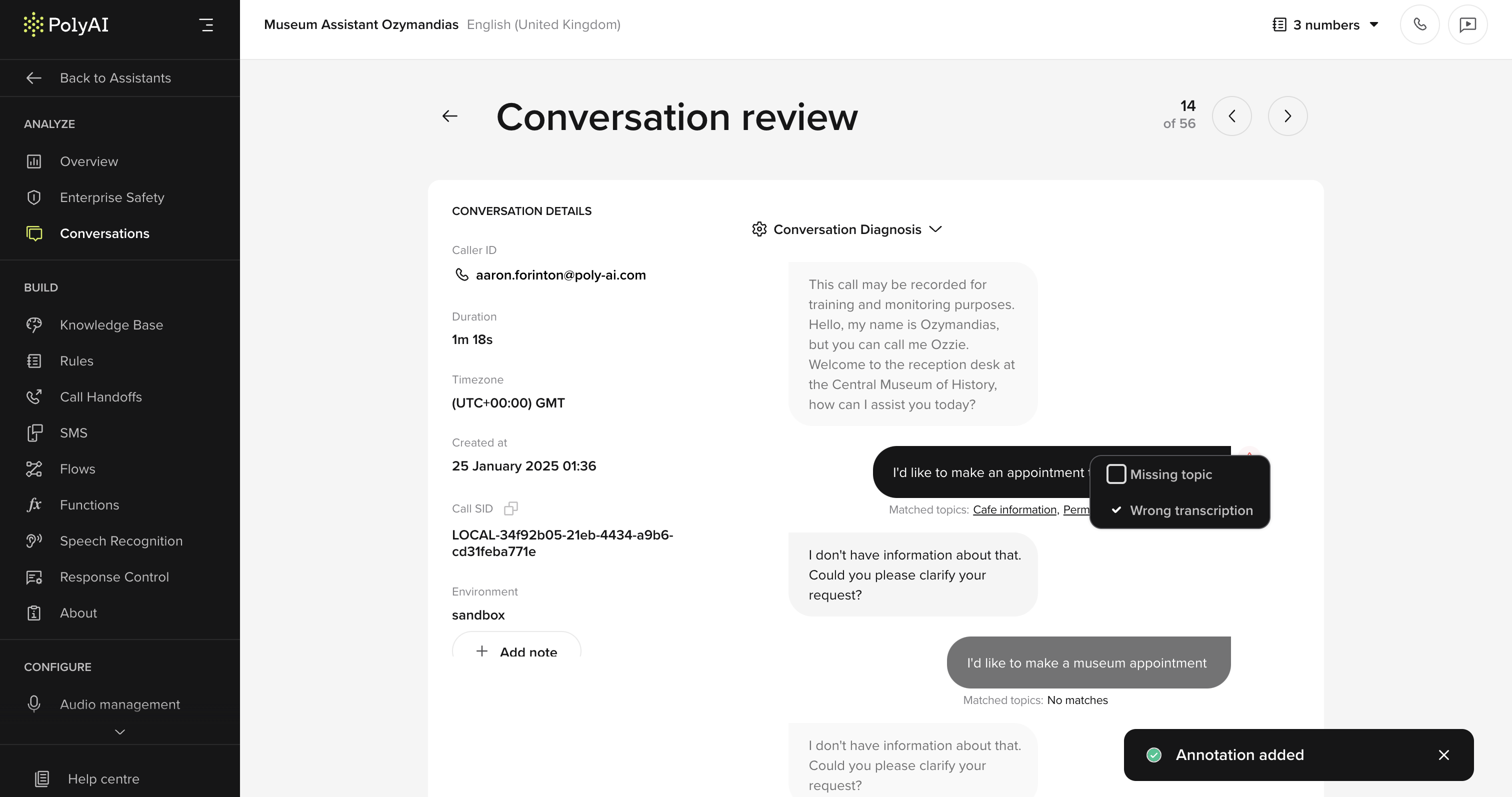
- Missed topics
- Incorrect ASR transcriptions
Handoff SIP configuration
Handoff SIP configuration
You can now configure handoff using SIP, with INVITE, REFER, or BYE.
You can also add SIP headers to the handoff template.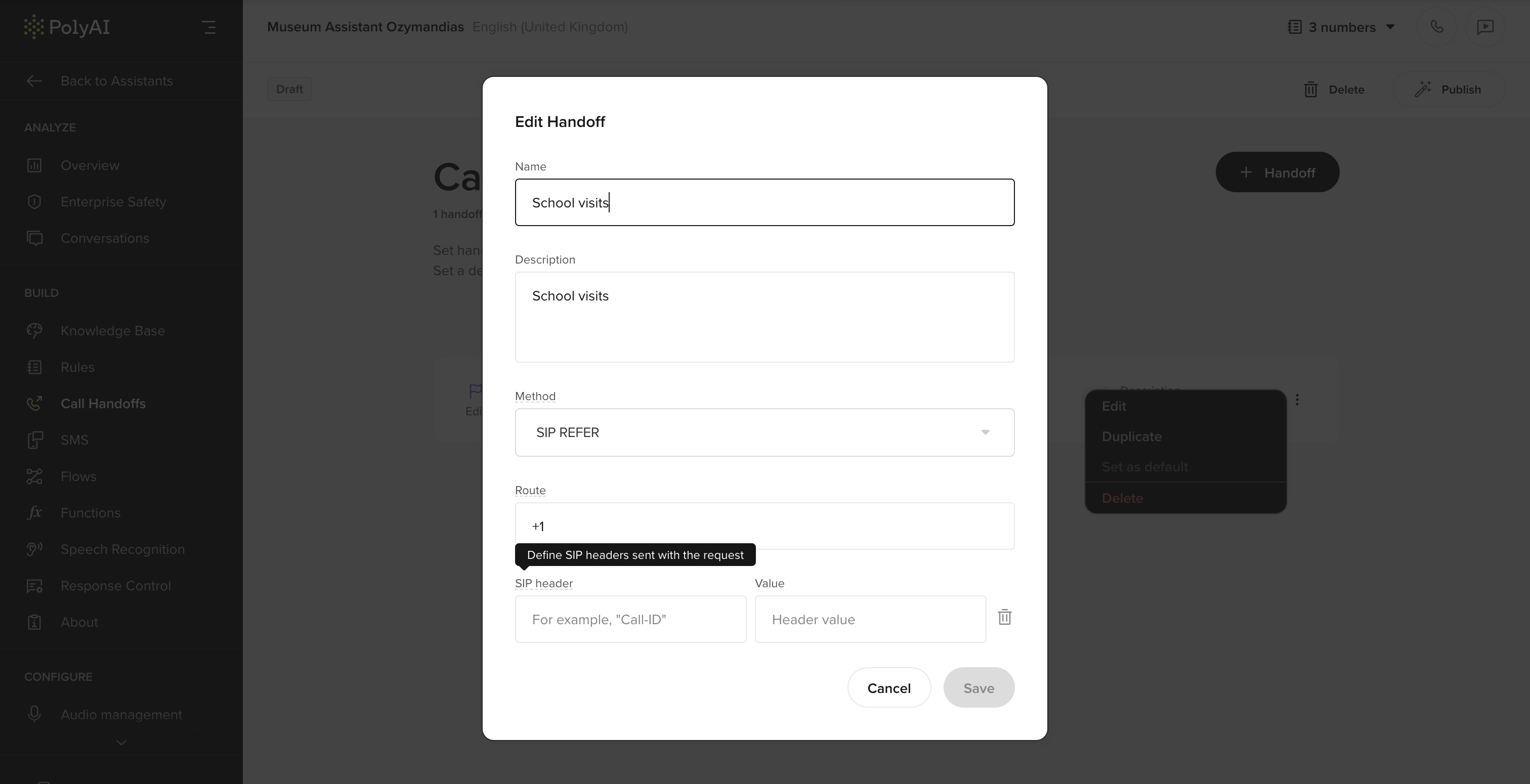
- The default handoff method is set to REFER.
- You can adjust this to other methods according to the specific needs of your projects.
- You can add SIP headers to the handoff.
Enterprise overview dashboard
Enterprise overview dashboard
A new Enterprise overview dashboard provides key operational insights and is the new homepage of a project.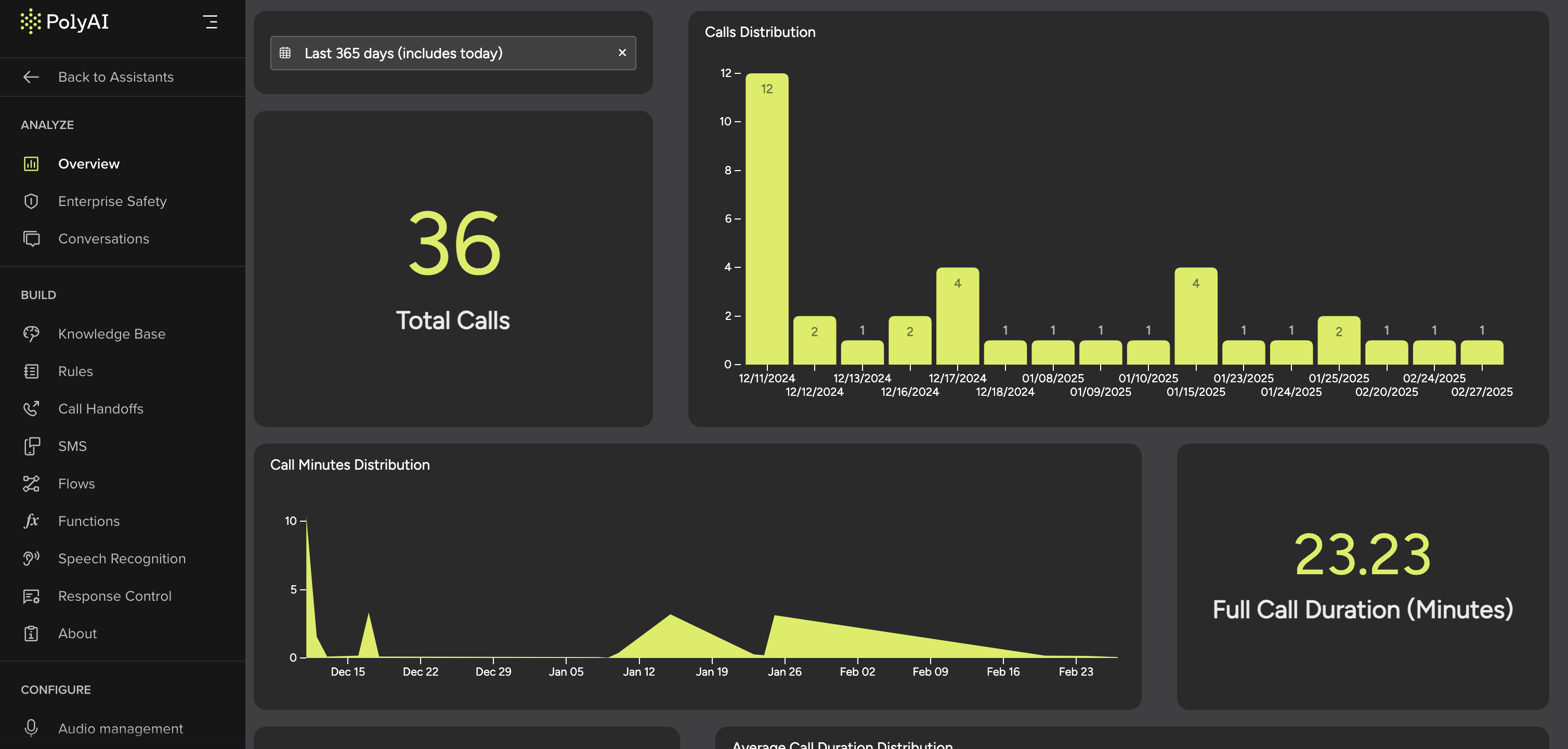
- Monitor total calls, call duration, words generated, and key metrics.
- Improve oversight of agent performance and containment rates.
- Can be configured to work alongside custom dashboards for deeper analytics.