

In-app calling
In-app calling
In-app calling is a quicker way to test voiced conversations with your agent, removing the need for telephony services like Twilio.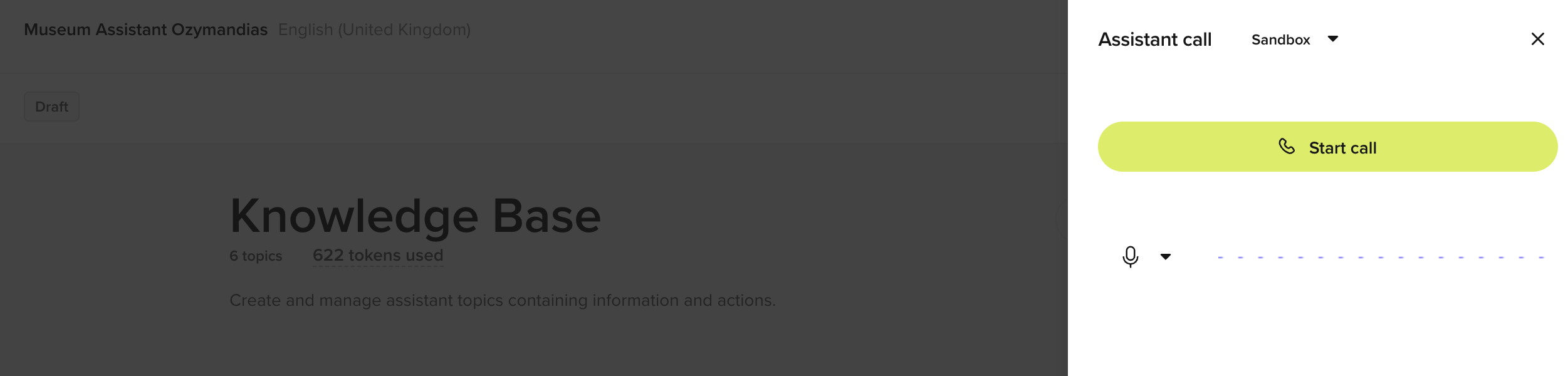
- Click the phone icon in the top-right corner of the project page.
- Select an agent version in the dropdown to start testing.
Audio management
Audio management
The new text-to-speech audio cache detects common phrases across calls, enabling easy customization.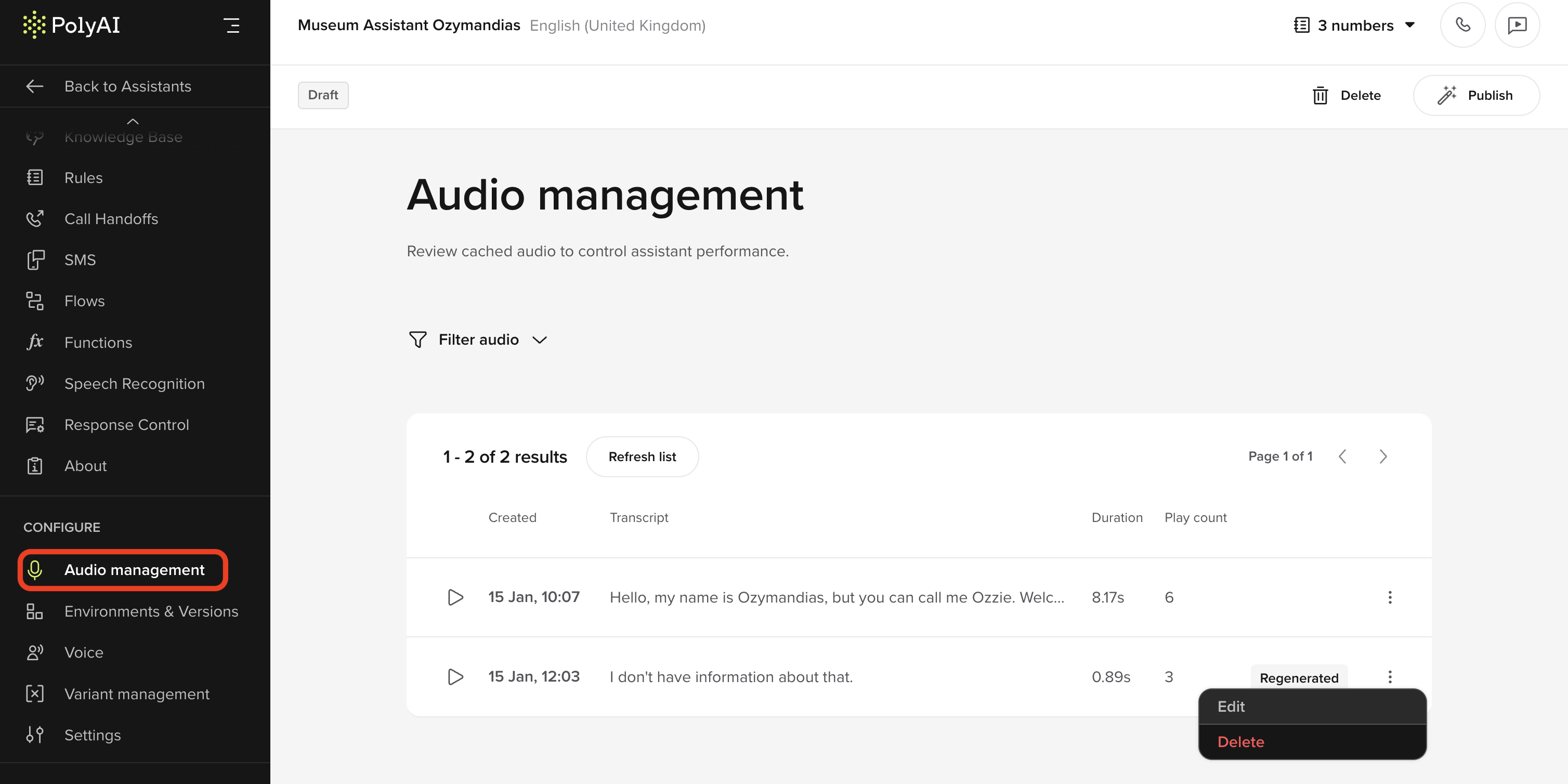
- Enhance voice quality by editing utterances directly in-studio.
- Streamline testing and iteration for commonly used phrases.
Knowledge base structure
Knowledge base structure
A dedicated Questions field has been added to the knowledge base UI, allowing for clearer separation between sample questions and content.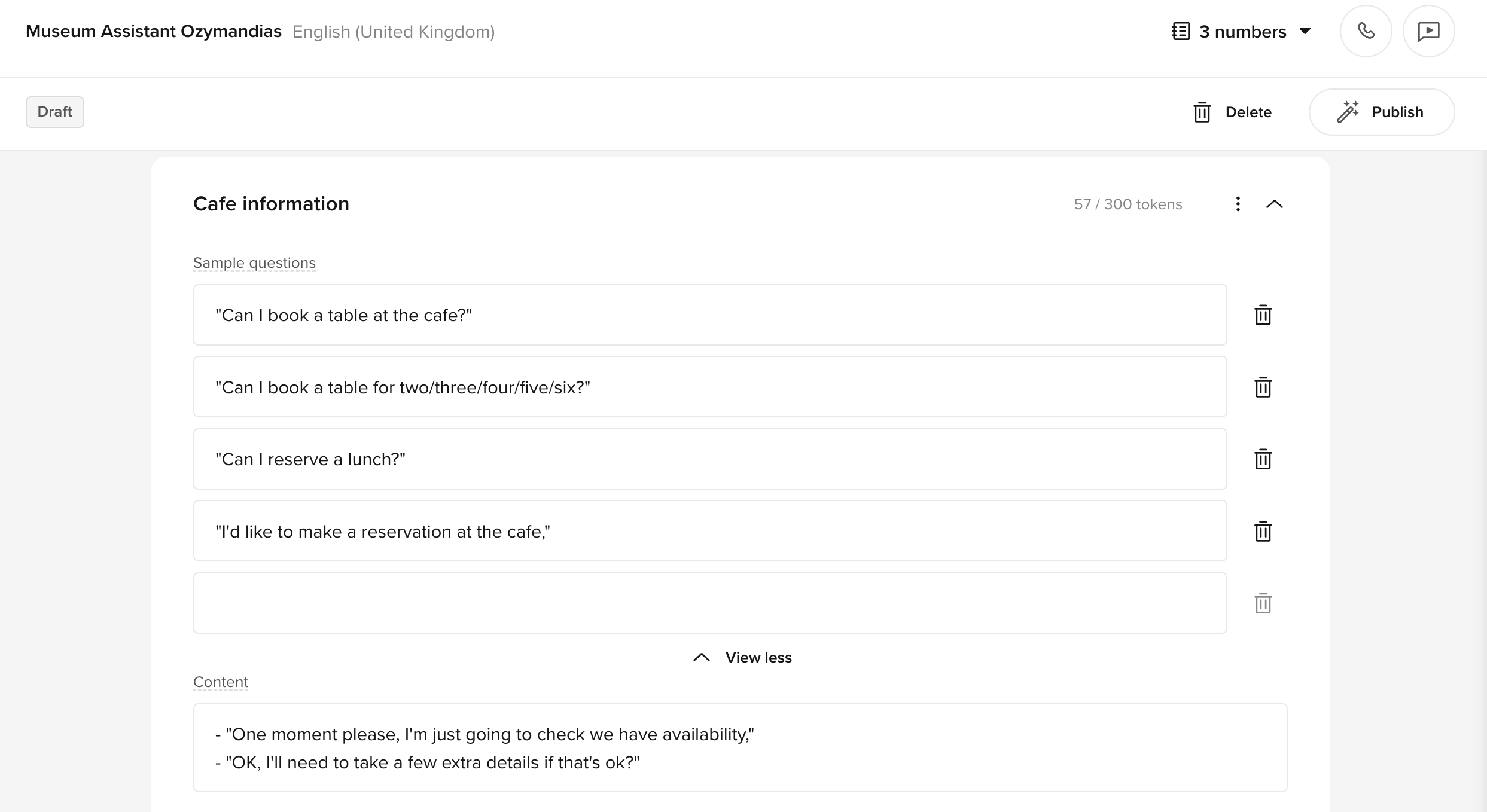
- Improves readability for builders.
- Simplifies the process of adding and editing sample questions.
Safety dashboard
Safety dashboard
The enterprise safety dashboard provides insights into flagged calls and safety filter activations.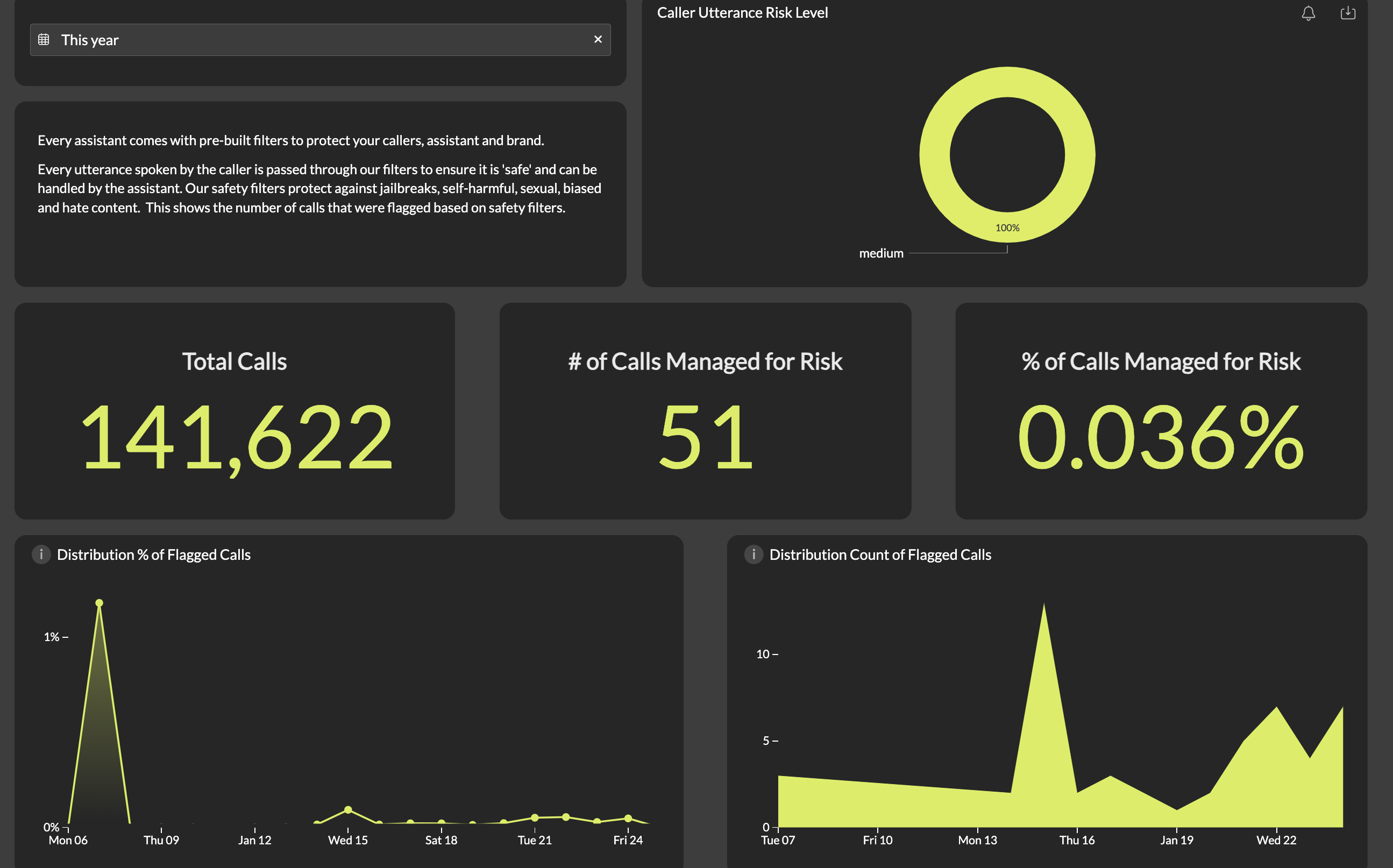
- Monitor flagged calls across projects.
- Understand which safety filters were triggered and why.
Custom dashboards
Custom dashboards
Support for custom dashboards is now available for all projects.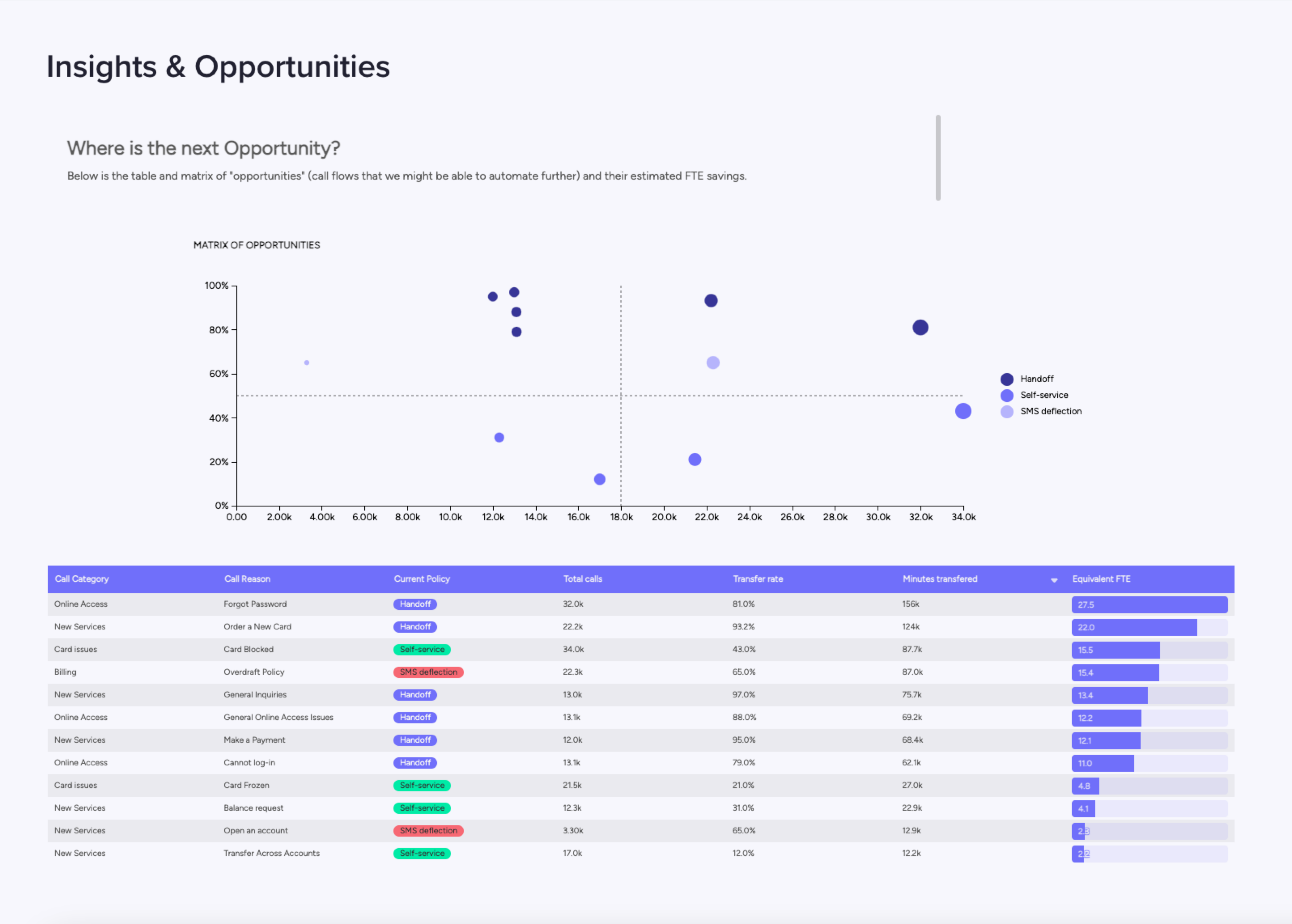
- Tailored dashboards aligned with project-specific goals.
- Improved clarity and focus on critical success metrics.
End functions
End functions
End functions allow unconditional function calls at the conclusion of conversations.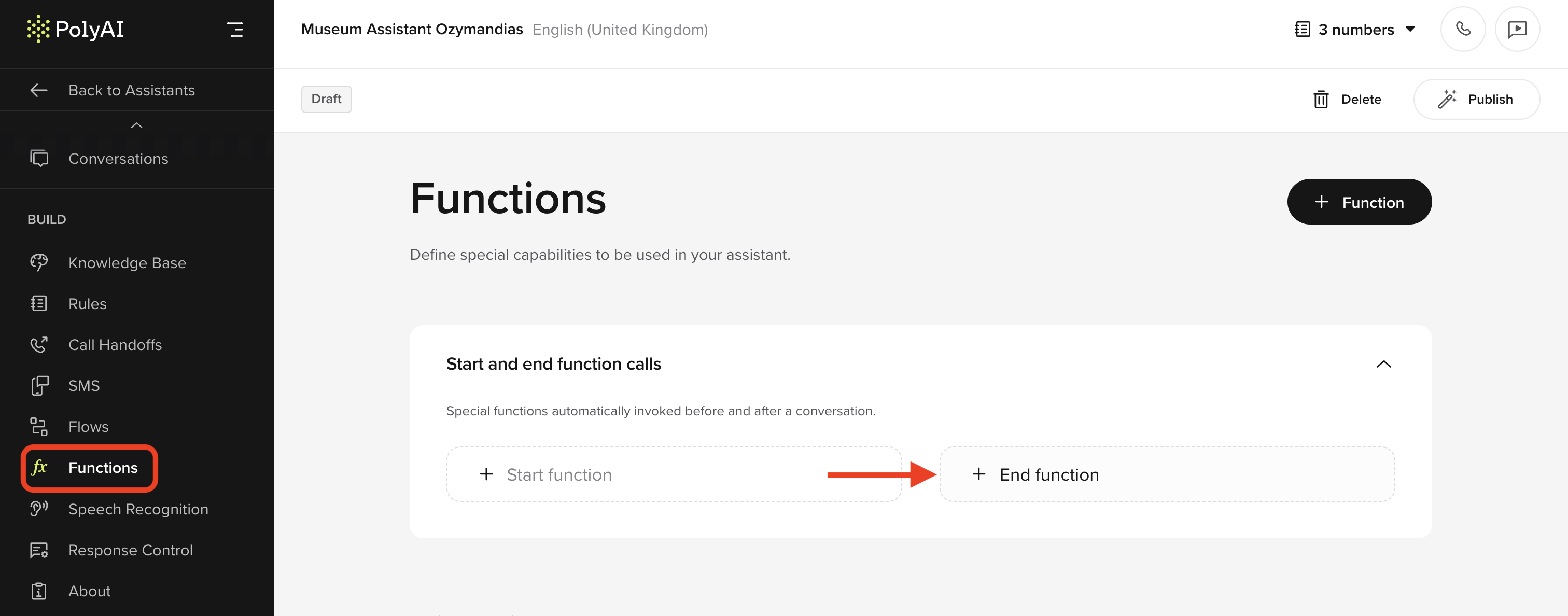
- Data logging: Save conversation details to a CRM.
- Task automation: Trigger workflows or send follow-up SMS.
Variants in the Conversations API
Variants in the Conversations API
The Conversations API now includes
variant_id and variant_name in the following endpoints:- Get Conversations:
/v1/{account_id}/{project_id}/conversations - Get Maximum Concurrent Call Numbers:
/v1/{account_id}/{project_id}/conversations/concurrency